


Microsoft Outlook 2013 and all the succeeding versions, when configured with Exchange, Office 365, Outlook.com, or IMAP account, store mailbox data in Offline Storage Table (OST). Sometimes, the OST becomes orphaned or inaccessible due to various reasons. In such a case, you can’t access your OST mailbox data. To view OST file data, you need to use an OST viewer application.
Following are top 5 OST viewer tools that you can use to read an OST file:
- Stellar Viewer for OST
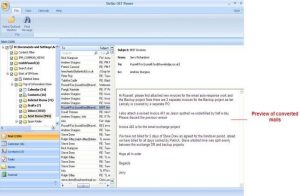
Stellar Viewer for OST is a highly advanced OST viewer software that you can use to open an inaccessible OST file. It allows you to scan and preview the entire OST mailbox. It also allows you to search emails and other mailbox items based on fields, such as From, To, BCC, CC, and Subject. You can also use Stellar Viewer for OST to save the data in various file formats, such as HTML, RTF, EML, MSG, and PDF.
Features:
- Options to select or search mailbox items in OST
- Scan the OST file to preview the mails
- Save individual mails as EML, MSG, RTF, HTML, and PDF for free
- User-friendly interface and controls
Note: To view OST mailbox data directly in Outlook application, you can use a good OST to PST converter tool. Stellar Converter for OST is a reliable OST to PST converter tool that you can use to easily convert OST file into PST. You can also use it to directly export the OST data to an Office 365 account (Technician edition).
- SysTools OST Viewer
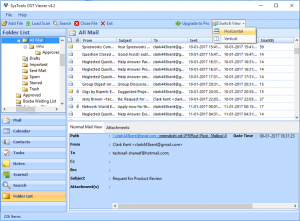
SysTools OST Viewer is another good OST viewer tool that you can use to open an orphaned or inaccessible OST file without Outlook. This utility opens OST files of all sizes and offers Advanced Scan Mode to preview Offline Outlook data files. It displays all the OST file data while retaining the original folder hierarchy and also recovers the deleted emails.
Features:
- Previews OST emails with attachments
- Sorts emails by email fields, such as To, From, etc.
- Has no dependency on Exchange Server environment or Outlook
- Supports all Windows versions
- Aryson OST Viewer
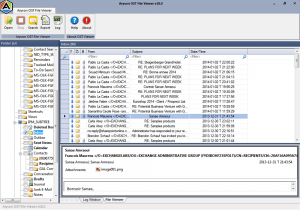
Aryson OST Viewer is a simple tool that can open OST files and save the data in HTML and TXT formats. It allows you to access even encrypted, large-sized, and corrupt Offline Storage Table (OST) files. If you need to examine email contents, you can also generate an analysis report with the tool in a few easy steps.
Features:
- Open and view OST files without Microsoft Outlook
- Displays entire OST data, including emails, notes, deleted items, etc.
- Compatible with all Windows OS versions, including Windows 10, 8, and 7
- Exports OST data in TXT and HTML formats
- Opens corrupt OST files
- Kernel OST Viewer
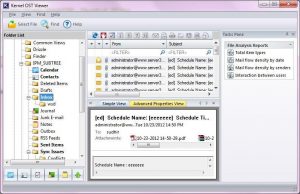
Kernel OST Viewer is a free OST viewer program that you can use to preview orphaned or corrupt OST files. It’s user-friendly, easy to install, and offers a three-pane window to preview the mailbox. It supports all versions of MS Outlook (97, 2000, 2003, 2007, 2010, and 2013), Outlook Express 4.0, and above. It also supports MS Exchange Server 5.0, 5.5, 2000, 2003, 2007, 2010, and 2013, and Windows OS 2000, XP, 2003, Vista, 7, and 8.
Features:
- Previews all OST items – emails, attachments, etc.
- Converts emails to HTML format
- Offers comprehensive file report for OST analysis
- BitRecover OST Viewer
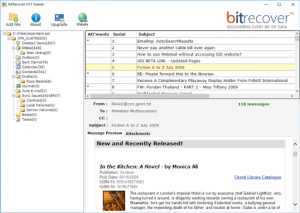
BitRecover is another good OST viewer tool that you can consider for accessing an orphaned OST file. You can use the tool to open OST files of all Outlook versions and read emails from folders, such as Inbox, Outbox, Junk, etc. It can also open OST files that have encryptions, such as compressible encryption, etc.
Features:
- View OST file and extract emails with attachments
- Preview OST file with key details, such as email Subject, From, To, etc.
- View large-sized and encrypted OST files
- View OST without Outlook
Conclusion
An OST file viewer tool allows you to view orphaned Offline Outlook data files. Most tools even allow you to save the emails in formats, such as HTML and TXT. However, if you need to open the OST file in Outlook, then you need to use an advanced OST to PST converter tool, such as Stellar Converter for OST.
