

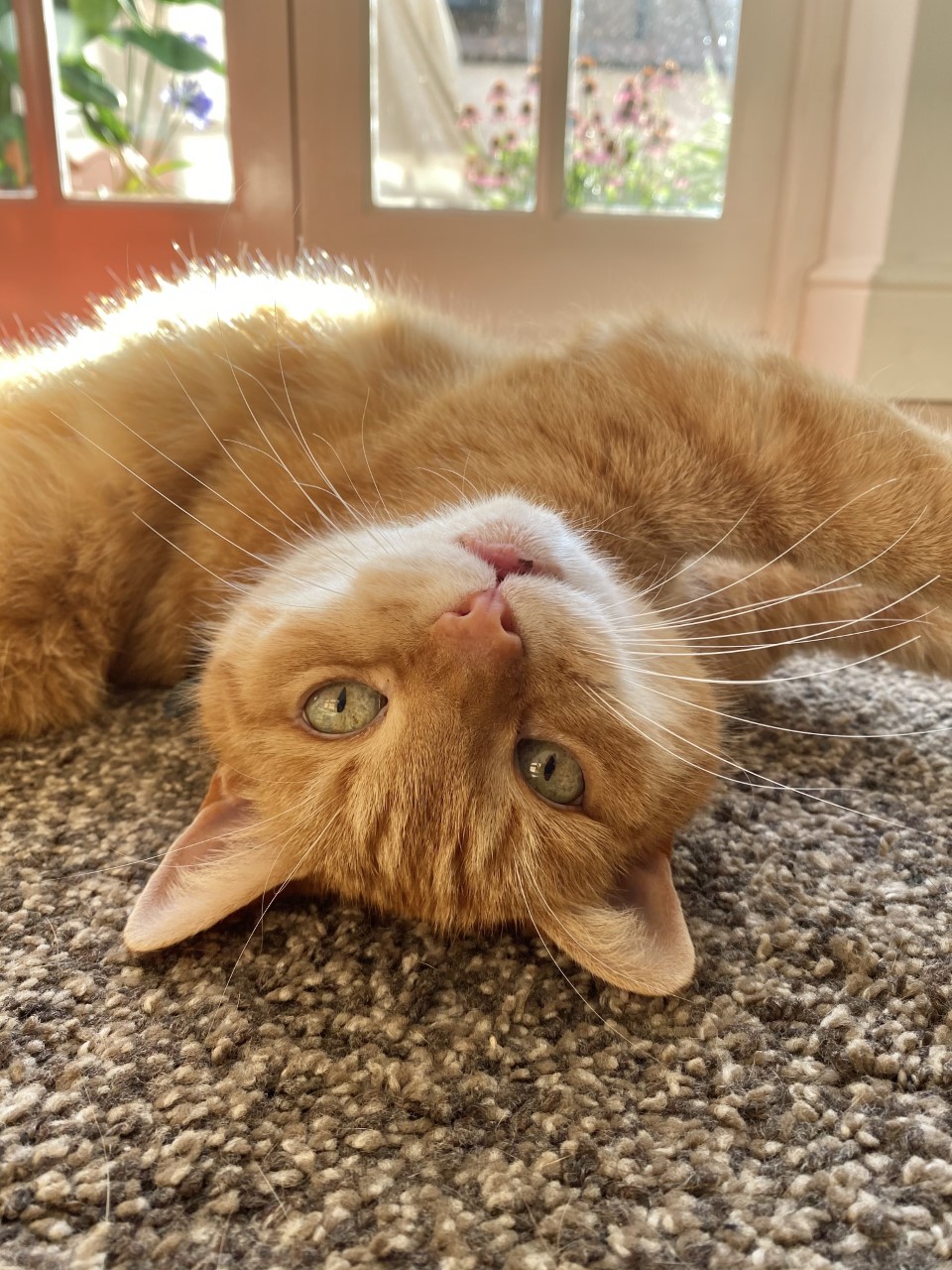
If you’re a pet owner and animal lover like me, your phone’s photo reel will be full to bursting of pics of your furry family members. We have three cats and at least twice a day they’ll roll into a cute pose, do something curiously funny, or simply stand in the sunlight and look majestic. I’m always right there trying to capture it on camera – and it’s usually my phone that I have to hand. Although I’m a professional wedding photographer, taking photos of my animals never gets old to me, although I’m sure if they could roll their eyes they would! I also have a few friends who have dedicated Instagram accounts for their cats and dogs, and I’m often asked for tips on how to get the best images. Whilst timing is of course a factor, there’s a few simple steps you can take to get some charming photographs of our four-legged friends.
One – A good brush and groom
All animals are pretty photogenic already, it’s true. They don’t need much help in the beautification department. However, an otherwise perfect pic can be spoiled by debris trapped in their fur, or dirt around their eyes and mouths. Matted fur is so difficult and time consuming to remove in post-production, especially to an amateur photo-shopper. So, give your pets a little spruce before you start. It’s a surprisingly overlooked first step but will improve your pet photography no end. Brushing their fur to fluff it up and wiping away any detritus will make a world of difference. Also, remove any scruffy collars and leads.
Two – Find your light
As with humans, the most compelling portraits are when we can clearly see catchlights in the eyes. It widens the eyes, shows off their colour and clarity, and helps the viewer connect with the portrait. Natural light is usually always the easiest for lighting the eyes, especially with your phone camera. Try placing your pet in front or to the side of a big window for a simple, effective light source. Alternatively, if there’s a sunny spot, try placing your pet with the sun behind them, and experiment with what I call a halo portrait. Getting your position just right can result in the most adorable soft, angelic, golden glow.
Three – Use treats
If calling their name doesn’t work all that well, have some treats to hand. This is more applicable to dogs than cats, to be honest, who we all know will do what they want, when they want. A little-known trick I’ve found that works when I’m photographing dogs is a bit of cheese on the end of my lens! Either that, or a willing assistant to squeak a toy over my head also seems to have the desired effect. Unless you’re going for an adorable sleepy pose, anything you can do to get their attention so they lift their head toward the camera will result in a more endearing portrait.
Four – Watch your background
Clean, unfussy backgrounds often make for the best pet portraits, as it shows off their fur and form more clearly. Make sure you’ve cleared away any bits and bobs behind your pet. Plants and botanical background always work well for pet portraits, and of course dogs are always happy outside. If you have a reasonably current iPhone, the portrait mode feature can be great for blurring the background, although it requires careful handling as it sometimes adds too much blur and looks ‘crunchy’ around the sharp focus object, which looks super fake. So, try physically separating your pet further from the background instead. This will blur the background somewhat more naturally.
Five – Go low!
Get down to your pet’s eye level and you’ll discover a whole new world. Try laying on the ground and see what new angle and background this offers you. It’s sometimes a whole lot easier to get eye contact with your pet as they can be very curious to see you down there with them! The resulting portrait might be a lot different with some added character you weren’t expecting.
Six – Click, click, click
As with children, animals can be pretty active and taking effective portraits needs some very quick camera skills and sometimes lucky timing. Keep your finger clicking away and try to see what you get from the photo reel afterwards. There may be a defining moment that jumps out as the best, and one you might not have been otherwise fast enough to anticipate.
Seven – Leave the filters alone
As with flowers and food, I really don’t like a heavy filter on pet photography. How can you improve on nature? Perhaps a gentle touch of contrast to help the picture ‘pop’ but that’s about it.
