

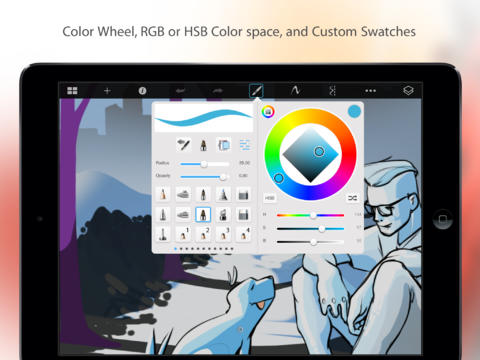
The invention of the iPad has revealed a whole world of options for users of technology. It provides powerful computing hardware in a handy portable package, and with the thousands of apps that have been built specifically for it, offers software to meet any of your needs. One of the areas that has seen a lot of innovation and opened up previously un-thought-of possibilities for users is in art programs. They allow artists and those who wish to doodle to create exciting digital artworks, wherever they may be.
Below are some of the best art programs for the iPad currently on the market: –
ArtStudio, £2.99
One of the best art programs for those who prefer to create with a stylus, ArtStudio supports most of the pressure sensitive styluses on the market. It also has a large range of applications, from pens and pencils to wet and dry brushes. With layering options and a left-handed mode that switches the position of the palette to the other side of the screen, this program is very user-friendly. It also allows you to alter and add to photos.
Paper by FiftyThree, Free
Paper by FiftyThree provides a mash-up of old and new technology. It is essentially a digital version of drawing on paper with a pencil. There are no fancy effects like drop shadows or diffusion filters, just a simple drawing tool – a pen, pencil or water colour brush – and a blank piece of paper. It’s simple, streamlined and effective. There are journals you can keep your artworks in and an ingenious feature that changes the thickness of your line depending on how fast or slow you draw your finger across the page.
Sketchbook Pro, £2.99
This program has one of the largest ranges of options for any iPad art app. Not only are there numerous native brush sizes and colour settings, Sketchbook Pro also gives you the ability to customise your own. It has a high resolution for detailed work and allows you to add text to your images. The other benefit is that you can save your files in a format that allows you to work on them in Photoshop, so you can sketch an idea you have when you are out and about and export it for work on your desktop when you get home or into the office.
ArtRage, £2.99
Renowned as one of the most realistic programs for creating oil paint effects, ArtRage is quite a large program, but with a fibre optic broadband connection, you can download, install and get going within minutes. It has a functionality that includes different brush sizes, palette knifes and blending techniques that all accurately resemble a real canvas. In effect, it is the perfect marriage of traditional art making and modern technology.
These iPad art programs offer a genuine insight into the appeal of the iPad, and its value as a functional and easily accessible creative tool. Artists around the world are able to use these programs to bring their artistic visions into life, while also recreating a number of artistic styles and formats. From paper drawings to oil effect paintings, there are a host of options to suit multiple tastes and the majority are available at extremely competitive prices.
