

You want to share files with people you know – friends, family – but you don’t know the best way to go about doing this. You’ve heard about BitTorrent, but you’re scared about getting caught. Is it legal? Aren’t file sharing sites helping to violate other peoples’ intellectual property rights? What’s the deal with file sharing anyway? Well, fortunately, there are legal and legit ways to share files that are not copyright-protected.
Use Cloud Storage
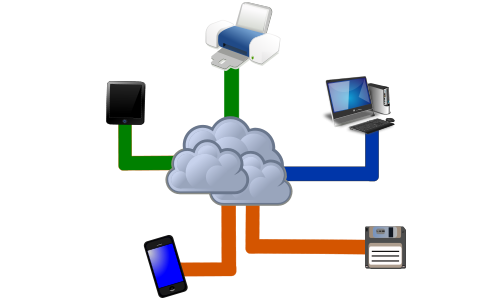
Cloud storage is one way to share files. Upload the content to a cloud storage “bank,” and then allow other users to download your file. This is a simple solution and many times it’s also free. Solutions like Google Drive make it easy to share documents, for example.
There’s a limit on the amount you can upload at any given time, and there are also limits on the amount of space you have available in the cloud, but you can always buy more space. You can also upgrade accounts if you need more bandwidth.
Use BitTorrent Client Software
Sharing files using the bittorrent protocol is still the most popular way to transfer files. Bittorrent client software like Vuze makes it easy to transfer media from one computer to another. Because this kind of software uses a peer-to-peer network, transfers happen between two users directly, with a tracker managing all file transfers and downloads.
Share with FTP
Another option is software like FileZilla. It turns your computer into a private FTP server. When it’s all set up, you can share a directory on your computer with friends by giving them a network address and a password. Then, they will be able to download files directly from that directory. You maintain complete control over the network and file sharing.
Using such direct transfer methods means that you don’t have the limitations of a Google Drive or some other cloud drive. You don’t even need to go through any complicated setup procedures either.
Use a Storage Locker
If you don’t like the idea of opening up your computer for sharing, and you’re not much into cloud computing, then you can always use a storage locker solution, like Minus or Mediafire. These sites allow you to upload your content to the site. Then, you share a download link with friends and family.
They visit the site and download the content. Every site out there like this has limits on the file size you may upload, and there’s a limit on download speeds as well, but it’s a free service so what do you want? The problem with file lockers is that they’re often under scrutiny because these sites are commonly used for piracy.
The download link is also public, so theoretically anyone could locate your download link and download the file you uploaded. While this solution isn’t perfect, it does require the least commitment from you. All you do is upload the file and fire off a link. The other solutions do require that you either install a browser, set up a program or create an account.
Matthew Nelligan has spent years navigating the internet highways. He enjoys writing about the ins and outs of maximizing the web’s uses for the everyday person on a variety of web-related blogs.
