

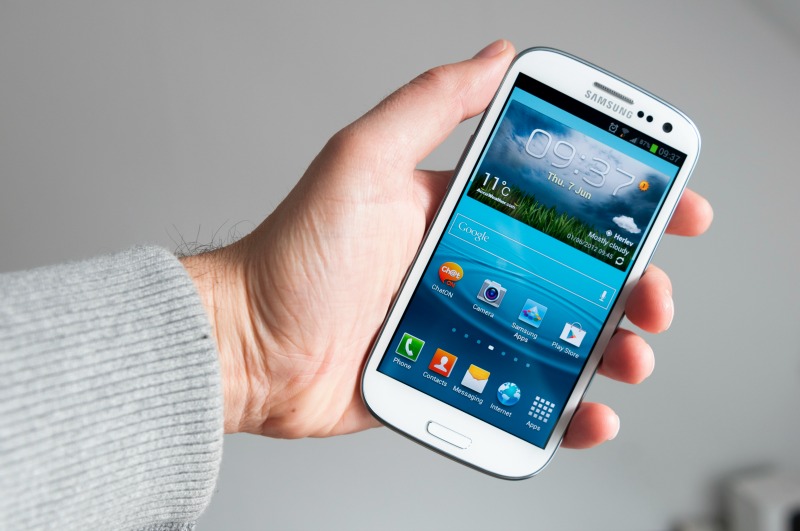
Without a doubt, smartphones were one of the best inventions of our lifetime.
However, the majority of people have phones with bits of software that they are completely oblivious to. Similar to our post on Cool Things You Didn’t Know About Your iPhone, there may be a few time-saving (and completely genius) tips and tricks that you can do on an Android phone, that you didn’t know previously.
Swipe to Type
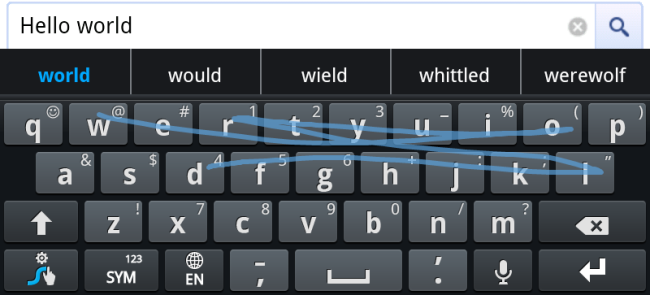
One of Android’s greatest features is the swipe to type option.
If you’re lay in bed half asleep and it’s too cold to have both of your arms outside of the duvet at the same time, this option is essential for you! Although it is not available directly through the phone itself, it’s free to download from the Google Play store (through Google Keyboard).
Instead of moving your finger tapping around the screen, simply drag your finger from letter to letter to create your text message, tweet or email.
Take a screenshot
Gone are the days when we had to use ScreenMunch to grab a screenshot on Android phone, and it’s not only Apple products that can take advantage of clean screen-shotting.
Click the home, power and volume up buttons simultaneously (or just the home and power button on an S4) and it will instantly save an image of the screen to your camera roll, so you can look back on it at any time!
Check your battery status

A slightly nerdier option (but cool nonetheless) is Android’s feature to check the status of your phone battery.
Key-in the digits *#0228# into your phonepad and you’ll get to see the voltage, ADC and RSSI readings of your battery. We can’t guarantee you’ll get any use out of this one, but it’s a good one to know about!
Skip the track
Another Android app that you’ll probably get the most out of in the Winter time is Pocket Skip Track.
How many times have you been listening to music whilst you’re walking along, but it’s too cold to get your phone out of your pocket to change the song? You can now keep your phone IN your pocket and change the song by just clicking the volume buttons. It’s such a simple but essential Android app!
Plug-in mouse
Again, a really nerdy suggestion but did you know that you could use a mouse to navigate around your Android phone?
Simply plug in a mouse with the mini-USB connector and navigate your way through text messages, photos and emails. Say goodbye to greasy fingerprints!
Facial Recognition Lock
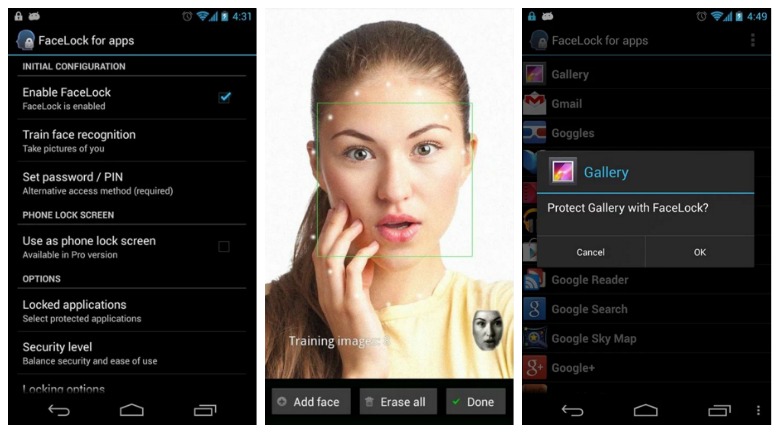
If you’re paranoid about the privacy settings on your Android phone, there’s always an option for using it’s facial recognition software to unlock your phone.
Go to Settings > Security > Screen Lock and choose ‘facial recognition lock’ as your unlocking option, then take images of yourself so that the software can recognize your face. Once you’ve set it up, you just have to hold the phone in front of you and the phone will unlock it instantly.
For people worried about their privacy, Android can also do a presence check. This avoids any chances of a person using a photo of your to unlock the phone, as you need to blink in order for the phone to unlock!
Surveillance Camera
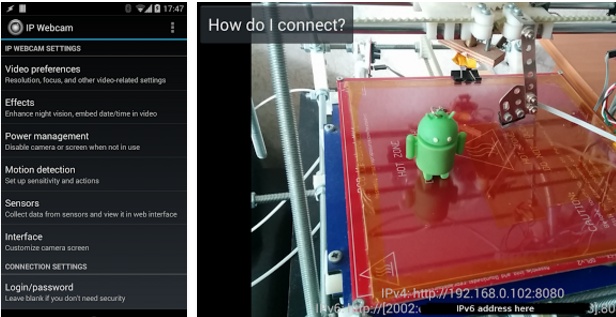
Your phone can also double-up as a surveillance camera; which is perfect for if you’re going on holiday and worried about your home.
The IP Webcam Android app has multiple viewing options and you can set it up anywhere in the house for 24/7 monitoring and surveillance. It even records the video as it happens!
Silence the Call
If you’re stuck in a busy meeting or in work, it’s really simple to silence and ignore the phone call without even touching your phone. All you need to do is cover the screen with your hand (or turn it over so the screen is facing down) and the call will be silenced straight away.
Before you go waving your hand over the phone, you need to enable Palm Motion. To do this, go to Settings > My Device > Motions and Gestures > Palm Motion.
What’s your favourite hidden tip for an Android phone? We’d love to know!
